
Products · For owners and leaders
An employee for the office work, in Teams.
For owners and leaders at the Culture companies.
Hand it an export or ask it a question in a Teams chat. It works inside your company's walls one step at a time, writes down every step and what it cost, and asks before anything goes out.
What it does.
The problem
The numbers that run an office sit in exports nobody has time to read: census, unsigned orders, billing, aging. Someone spends the morning adding them up by office, and the meeting starts before they finish.
What The AI employee does
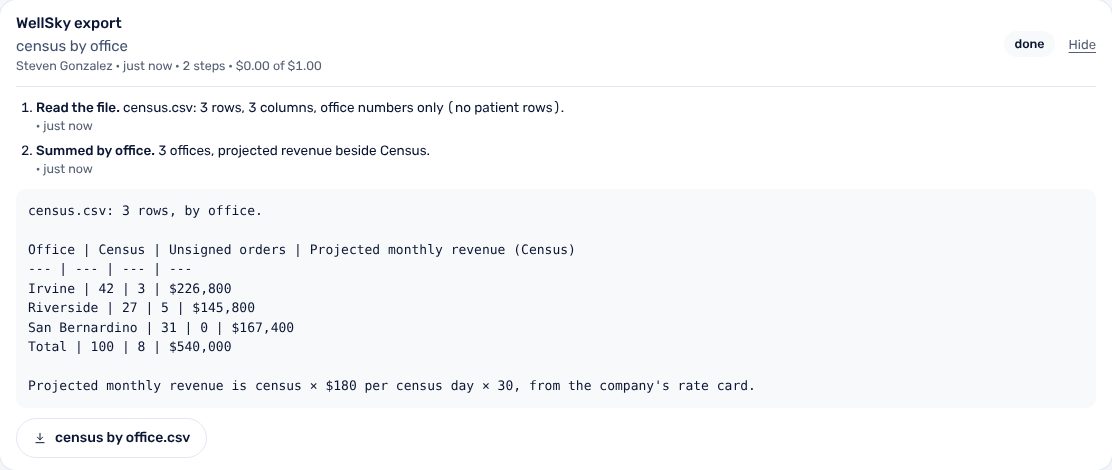
It reads the export you hand it and answers in the chat: a table by office, the total, what stands out, and a CSV to keep. It drafts the 1:1 agenda from the record and the calendar. Nothing it writes goes out until a person says yes.
How it works.
Each step, in order. Steps outlined in blue run in the CultureAI core, the same for every product.
- In Teams
You ask
A message with a file, or a question: census by office, what is open, draft Thursday's 1:1 agenda.
- The core
It becomes a job
Under exactly one company. If you own several and name none, it asks which.
- The core
It works step by step
Each step is written down before the next, so a timeout loses nothing. Every skill has a step budget and a dollar cap.
- The core
It refuses patient rows
A column of patient names, or a value that reads like a social security or phone number, stops the file. Nothing of it is kept.
- In Teams
It answers
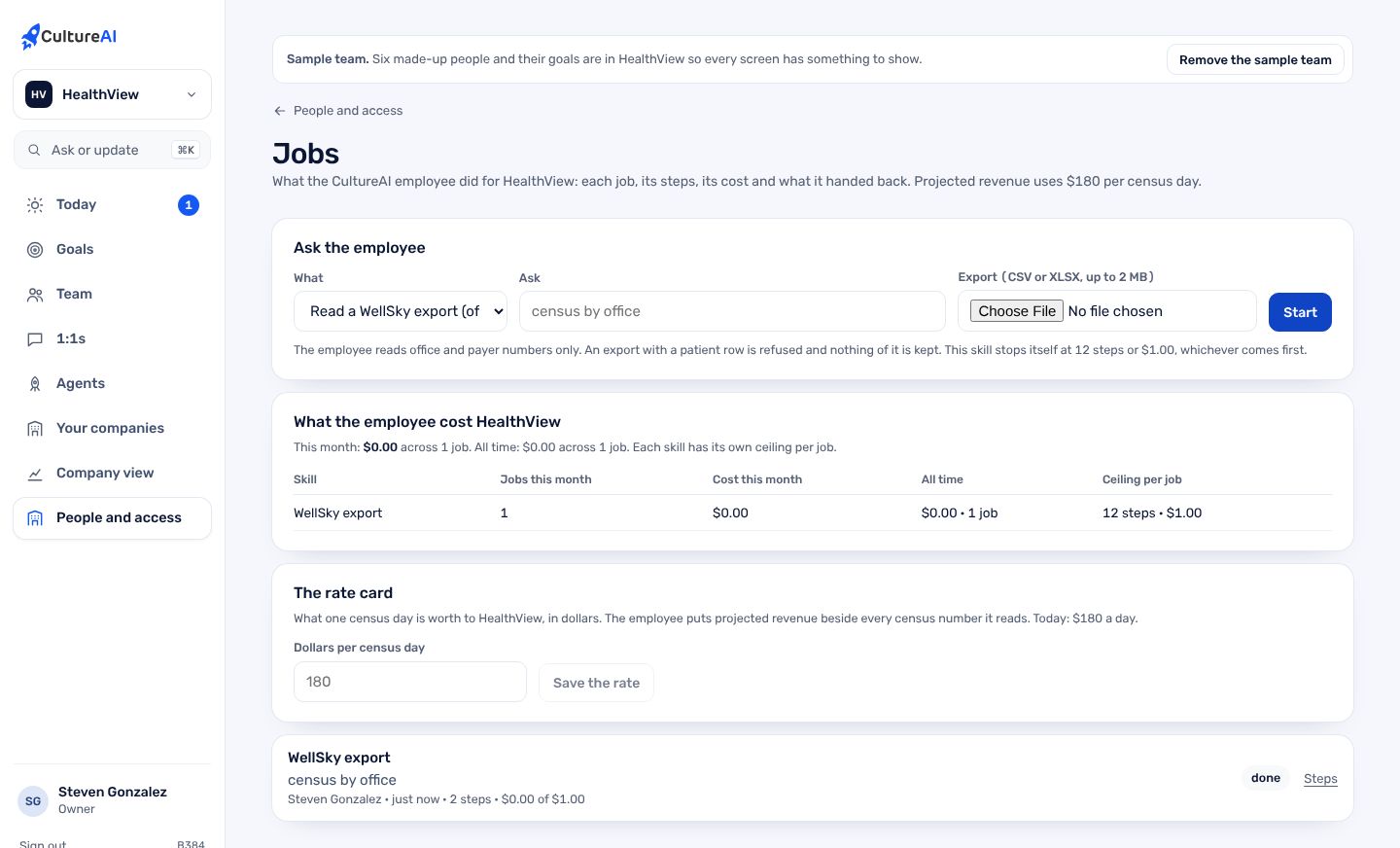
Progress and the answer in the chat, the file on the Jobs page. A change waits for a person's approval.
Real screens, not mockups.
Taken from the product running in its local test world, with a sample company and made-up people.
What it does, in plain words.
Census by office
A WellSky census export summed by office, with projected monthly revenue from the company's own rate card. Without a rate card it says so and still answers.
Billing and AR aging
Claims or invoices summed by payer and office. Aging by bucket, with the share past 90 days and the oldest book named. A CSV comes back.
What is open
Goals, bottlenecks, readings due this week and drafts waiting, for one company at a time.
The 1:1 agenda
Finds the 1:1 on the day you name, reads the person's record and both calendars, and drafts the agenda. Your own words are never overwritten.
Across your companies
Ask what is open across my companies and it runs one job per company. The answers come back one by one, each named, never merged.
The bill
Owners and leaders see what the employee cost this month and all time, by skill, beside each skill's ceiling.
Trust and security.
What it keeps apart, what it writes down, and what it never reads. The whole picture is on Security.
- Inside the wallEvery step of a job runs bound to the company it was asked in. The database refuses another company's rows.
- Asks before it actsA tool that writes needs a person's approval. A deleted Teams message cancels its job; an edited one is read again.
- Office numbers onlyFiles with patient rows are refused before they are read. Medicare and social security numbers are taken out of every model call.
- Written downEach draft, change, failure and job, from the ask to the end with its steps and cost, is in the activity log.
How it fits the platform.
The AI employee is a thin layer on the CultureAI platform. It builds none of these itself; it uses the ones marked Uses.
- Identity and tenancyUses
Sign-in, companies under a parent, roles, the wall each company keeps
- Data and patient dataNot used
One record in Neon; patient data only through its own module
- Events and jobsUses
What happened, in one log; long work as durable jobs
- ConnectorsUses
Outside systems plugged in one way, per company
- The AI layerUses
One gateway to the model, de-identification, shared tools, cost per company
- Audit and observabilityUses
Who did what; alerts; the daily live check
- NotificationsUses
Teams, written down, never twice, quiet hours
- Developer surfaceNot used
Keys, versions, webhooks, request logs, the kit
Connectors. Teams for the asking, the calendar read for the 1:1 agenda, and the exports people already pull from WellSky and billing.
How to get it.
CultureAI is not for sale. It is installed in every company we build or back, and The Culture Group's companies come first. Each company gets it inside its own walls, set up with the rest of the platform.
Say aloha- A company is set up under its parent, with its people and owner, in one step from the Console.
- Its connectors are switched on one at a time, each with its own credentials and its admin's yes.
- Its people sign in with one CultureAI account, and the product is there.
Questions.
Does it send anything on its own?
No. It drafts. Anything that writes or goes out waits for a person to approve it, and the approval is in the activity log.
What does it cost to run?
Each skill carries its own ceiling. The finance skills stop at 4 steps and $0.25 a job, the agenda at 5 steps and $0.50. The Jobs page shows the bill by skill.
Can it read patient charts?
No. It works on office numbers. A file with a patient column, or a value that reads like a social security or phone number, is refused and nothing of it is kept.
Do I need Teams?
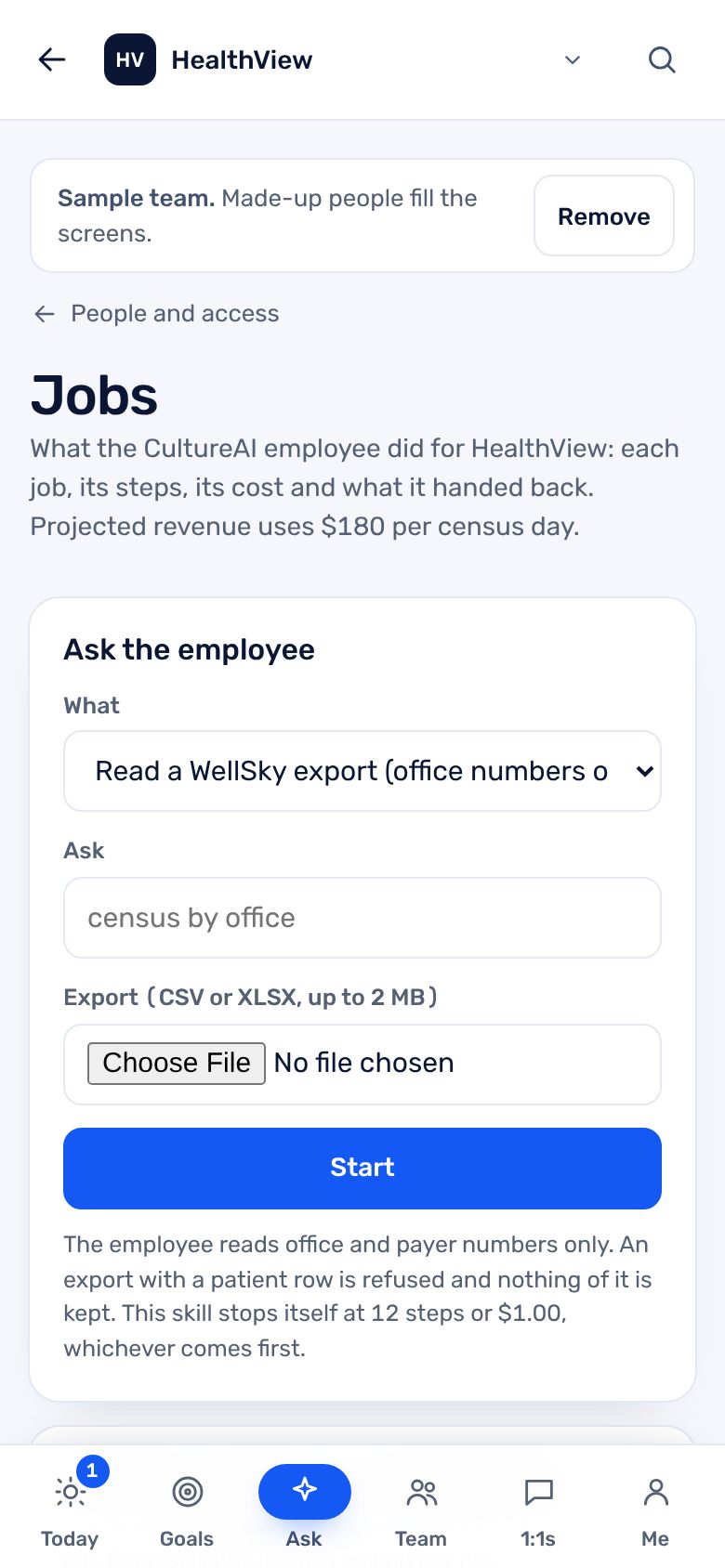
No. The Jobs page in the app takes the same asks, with a file, so the work can be done without Teams.
What happens if it fails halfway?
Every step is written down before the next one starts. The next worker picks the job up where it stopped. Failed jobs retry with a growing wait.